Most testing tools help you record what happened. A mind map helps you decide what to explore in the first place.
Before running a single test, use a mind map to understand the feature, generate test ideas, identify risks, and capture what is still unknown. Once testing starts, those ideas become focused, time-boxed charter sessions. The map then evolves with what gets discovered.
This is the workflow for moving from understanding a feature to exploring it.
Start with heuristics
When picking up a new feature, start by looking at it through different testing lenses.
A heuristic is a prompt that helps you think of things you might otherwise overlook.
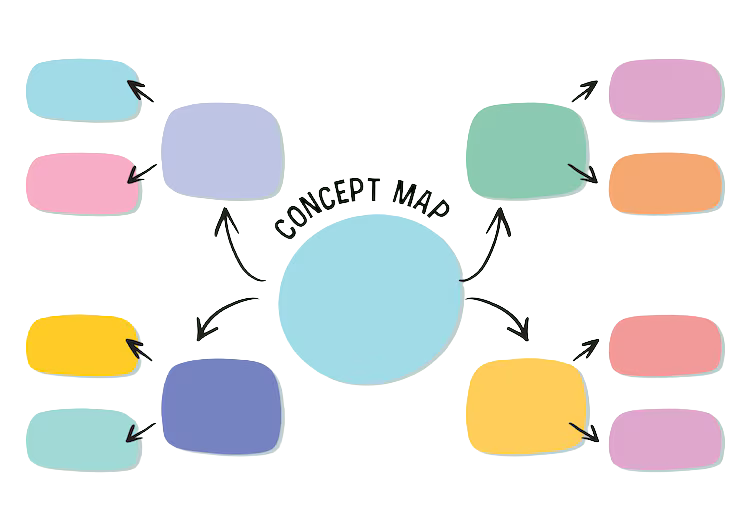
Put the feature at the centre of a blank mind map. Each branch represents a heuristic, and the sub-branches capture the test ideas that come from it.
Useful heuristics include:
- Never and Always: What should this feature never do? What should it always do? Build this list with developers, product managers, and subject matter experts.
- States and Events: What states can the user or system move through? What triggers those transitions? What events are produced?
- Follow the Data: Where does the data come from? How is it transformed, stored, and passed between systems? Follow it from input to output.
- CRUD: For any entity, explore Create, Read, Update, and Delete. Do not stop at the happy path.
- POISED: Parameters, Output, Interoperability, Security, Errors, and Data. A useful sweep for API-focused testing, based on James Bach's Rapid Software Testing heuristics.
- Testability: How easy is this feature to test? If it is difficult to observe, control, or reproduce behaviour, that is a risk worth identifying early.
These are not a checklist to complete. They are prompts to generate better questions and test ideas.
Build a mental model
Once there are some initial test ideas, map how the feature works.
This is visual modelling. The goal is not to create perfect documentation. The goal is to build a mental model that helps you reason about the system before testing it.
For an API, use endpoints as branches and parameters as sub-branches. Capture questions such as:
- What format does this field accept?
- Is the value required or optional?
- What happens when it is missing?
- What happens when the value is invalid?
For a UI feature, the branches might represent user journeys, application states, and the paths between them.
The model does not need to represent everything. It needs to be good enough to see how the feature works and where the interesting edges might be.
By the time modelling is complete, there should be a clearer picture of what is being tested and where to look harder.
Surface the risks
As the model develops, add a Risks branch.
Anything that could fail, behave unexpectedly, or create a poor user experience goes here.
Some risks become obvious while modelling:
- A parameter has no documented constraints
- A state has no clear exit
- Data crosses several system boundaries
- An important failure path is not defined
- A feature depends on another service that may behave differently
Capture these as they emerge rather than trying to create a complete risk list upfront.
The risks then inform where to focus testing time first.
Capture open questions
Keep an Open Questions branch alongside the risks.
These are things not yet known:
- Is this field required or optional?
- What does the API return when the input is malformed?
- What happens if the user refreshes during this flow?
- Is there a rate limit on this endpoint?
An open question is not necessarily a blocker. It is a signal that more information is needed to understand or test that area properly.
Questions also give something concrete to take to developers, product managers, or subject matter experts.
Make assumptions visible
Capture assumptions too.
An assumption can remain invisible until it turns out to be wrong. Writing it down makes it something the team can challenge.
For example:
- The API contract matches the documentation
- This flow is being tested independently, not under load
- The test environment behaves like production for this feature
Every assumption is worth questioning.
When an assumption turns out to be wrong, it can also explain why a defect was difficult to understand or reproduce.
Use the map with stakeholders
Once the model, risks, questions, and assumptions are in one place, use the map to have conversations with the people who can fill in the gaps.
That might be:
- A developer who built the feature
- A product manager who owns the requirements
- A subject matter expert who understands the domain
- Another tester who knows where similar features have failed
The goal is simple: turn questions into answers and assumptions into facts, or confirm that an assumption is actually a risk.
The mind map works well for this because people can see the current understanding and correct it directly. It is often easier to point at something missing or wrong on a visual model than to write new documentation from scratch.
Turn ideas into charters
Once the feature is understood well enough, move from thinking about it to exploring it.
This is where charters come in.
A charter is a focused mission for an exploratory session. It defines an area to explore and the information to discover without prescribing every step.
This uses a lightweight version of Session-Based Test Management (SBTM), developed by James Bach and Jonathan Bach.
Each charter sits at the centre of its own mind map using the format: [Charter] {mission}
For example:
[Charter] Explore event creation to discover successful event creation behaviour
The charter map also contains a Session Details node with:
- Prerequisites: Everything needed before starting, such as a user account, API token, or specific data state
- Notes: Useful observations that do not belong in a bug report
- Bugs: Split into Open and Resolved, with each bug captured as a child node
- Tracking: Time spent across three areas: T for Test Design and Execution, B for Bug Investigation and Reporting, and S for Session Setup
The remaining branches contain the areas to explore during the session.
Create multiple charters for a feature. One might focus on the happy path, another on error handling, and another on security or integration behaviour.
Each charter has a different purpose and produces its own session map.
Capture what you discover
After each charter, capture the results in the map.
This is not a polished test report. It is a working record of what was learned:
- Bugs found
- Questions answered
- New questions raised
- Unexpected behaviour
- Areas that need more exploration
- Risks that turned out to be real
- Areas where confidence is still low
Over multiple sessions, these maps build a picture of the feature's exploration.
It captures what was explored, what was discovered, what changed the understanding, and where uncertainty remains.
That is the real value of using the mind map throughout the process. It connects the thinking before the test with the learning that happens during the test.
Download the template
The template is built in XMind to support this workflow.
It includes:
- An empty charter with Session Details already structured
- A heuristics map with the six testing lenses
- A blank visual modelling structure
Open it, duplicate the charter structure for each session, and adapt the map to the feature being explored.
Exploratory Testing Templateexploratory-testing-template.xmind