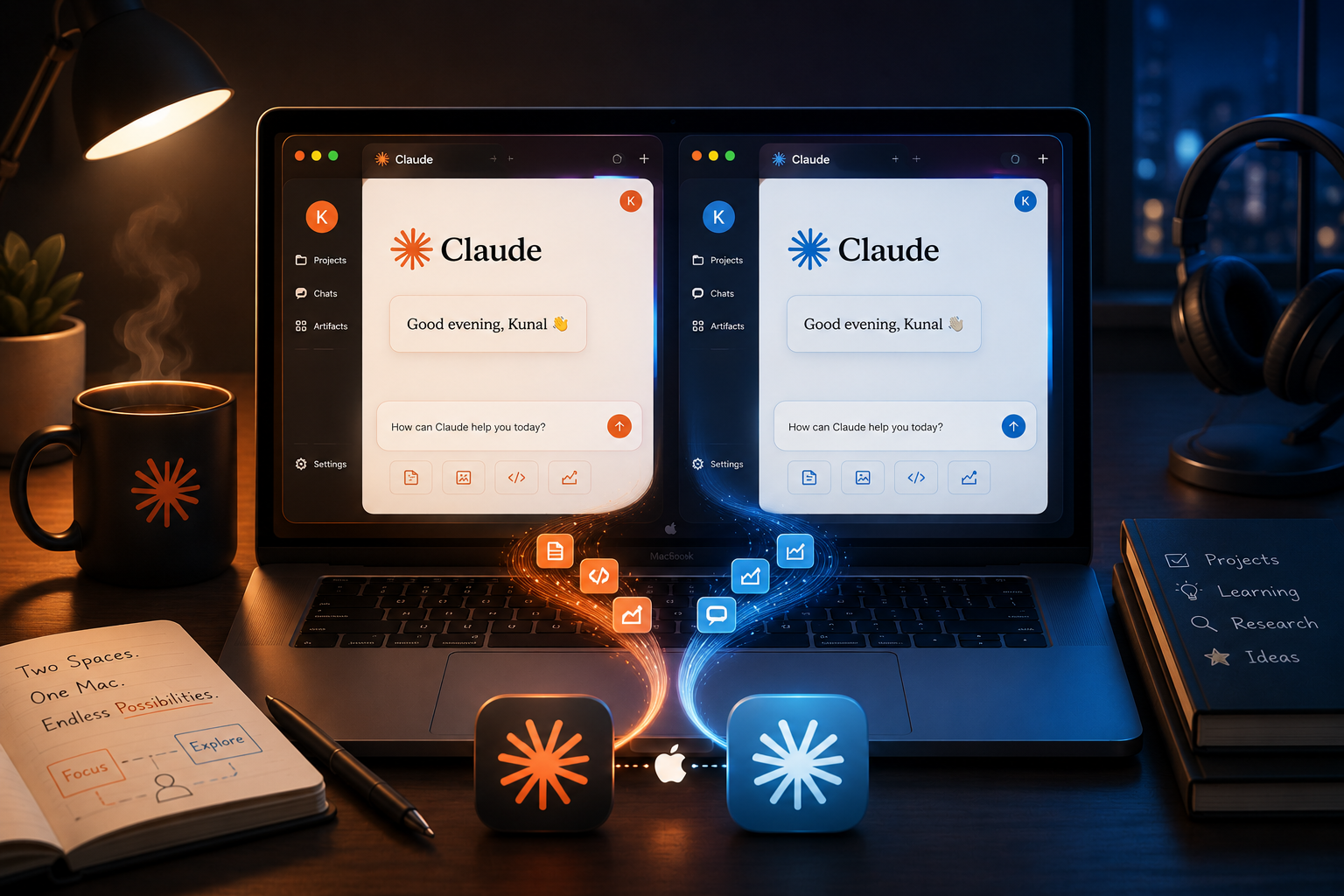
One machine, two Claude accounts, zero bleed-over:
| Work | Personal | |
|---|---|---|
| Desktop app | Claude.app | Claude Personal.app |
| CLI | claude | claude --personal |
| Claude Code context (memory, history, sessions) | ~/.claude | ~/.claude-personal |
| Desktop profile (login, cookies) | ~/Library/Application Support/Claude | ~/Library/Application Support/Claude Personal |
| CLI credentials | Keychain: Claude Code-credentials | Keychain: Claude Code-credentials-<hash> |
The interesting requirement is the third row: the desktop app and the CLI on each side should share one context pool. A memory saved in a terminal session should be visible to coding sessions started inside the desktop app, and vice versa. But work and personal must never mix.
Why the guide you'll find online doesn't work
The commonly shared recipe is: duplicate the app in Finder, edit CFBundleIdentifier in Info.plist, re-register with lsregister, done. On the current Claude Desktop build this fails three separate ways.
Trap 1: the bundle ID in the guide is wrong. The actual identifier is com.anthropic.claudefordesktop, not com.anthropic.claudedesktop. A search-and-replace for the documented string finds nothing. Always verify against the real app:
/usr/libexec/PlistBuddy -c "Print :CFBundleIdentifier" /Applications/Claude.app/Contents/Info.plistTrap 2: editing Info.plist bricks the app. Claude Desktop is notarized with a hardened runtime and sealed resources: every file inside the bundle is checksummed into the signature. Change one byte of Info.plist and macOS refuses to launch the copy. Every modification must be followed by an ad-hoc re-sign:
codesign --force --deep --sign - "/Applications/Claude Personal.app"Trap 3: the bundle ID doesn't control where your account lives. This is the one that silently defeats the whole exercise. Electron apps derive their profile directory from productName inside app.asar, not from CFBundleIdentifier and not from CFBundleName. I proved it with lsof: the renamed duplicate, new bundle ID and all, was still writing to the original profile. Two icons, one shared login, both apps fighting over the same cookie jar.
And you can't just edit app.asar: the build pins its SHA-256 in Info.plist (ElectronAsarIntegrity) and carries per-file block hashes. Tamper with it and the app won't start.
The fix: a launch wrapper
If you can't change where the app wants to put its data, change how it is started. Electron respects a --user-data-dir argument, so the duplicate's main executable becomes a four-line shell script:
cd "/Applications/Claude Personal.app/Contents/MacOS"
mv Claude Claude-bin
cat > Claude <<'EOF'
#!/bin/sh
export CLAUDE_CONFIG_DIR="$HOME/.claude-personal"
exec "$(dirname "$0")/Claude-bin" \
  --user-data-dir="$HOME/Library/Application Support/Claude Personal" "$@"
EOF
chmod +x Claude
Two redirects in one wrapper:
--user-data-dirgives a separate desktop profile, and so a separate login.CLAUDE_CONFIG_DIR, inherited by every child process, means Claude Code sessions started inside the desktop app write their context to the personal pool rather than the work one.
Nothing inside the sealed app.asar is touched. The receptionist changed; the building didn't.
Two more things that broke
Helper apps. Electron locates its GPU, renderer, and plugin helper processes by constructing <CFBundleName> Helper.app. Rename the app and it dies on launch with:
FATAL: electron_main_delegate_mac.mm: Unable to find helper appAll four helpers need renaming, including the bundle directory, the inner executable, and their Info.plist entries, to match the new name.
Entitlements. A plain codesign --force --deep --sign - strips every entitlement. The app launches, but VM-backed features die with a misleading message: "Claude's installation appears to be corrupted. Reinstall Claude." The fix is extracting the original app's entitlements, dropping the three Apple-issued ones an ad-hoc signature can't carry (application-identifier, team-identifier, keychain-access-groups), and re-signing with the rest.
The subtle part: entitlements only attach to a Mach-O binary. Signing the bundle does nothing when the bundle's main executable is a shell script, so they must go on Claude-bin directly:
codesign --force --sign - --entitlements filtered.plist \
  "/Applications/Claude Personal.app/Contents/MacOS/Claude-bin"
codesign --force --sign - "/Applications/Claude Personal.app"   # then reseal the bundle
The CLI side
Claude Code makes this far easier, because profile isolation is a first-class feature via one environment variable:
CLAUDE_CONFIG_DIR=~/.claude-personal claude # then /login with the personal accountEverything follows the variable: settings, history, per-project transcripts, auto-memory, and, elegantly, credentials. The keychain service name is derived from a hash of the config dir path, so each profile gets its own credential slot with no extra work.
To make it ergonomic, a zsh function turns it into a flag. The real binary has no --personal option, so the function strips it and sets the environment variable:
# ~/.zshrc — `claude` = work (default), `claude --personal` = personal
claude() {
  local args=() personal=0 a
  for a in "$@"; do
    if [[ "$a" == "--personal" ]]; then personal=1; else args+=("$a"); fi
  done
  if (( personal )); then
    CLAUDE_CONFIG_DIR="$HOME/.claude-personal" command claude "${args[@]}"
  else
    command claude "${args[@]}"
  fi
}
Because the function passes everything else through, the whole CLI surface works per-account:
claude                        # work session (default)
claude --personal             # personal session
claude --resume               # picker of WORK sessions in this directory
claude --personal --resume    # picker of PERSONAL sessions in this directory
claude --personal --continue  # resume the most recent personal session here, no picker
Two behaviours worth knowing:
- Sessions are grouped by project directory.
--resumelists only sessions started in the current working directory, so run it where the work happened. That is also why keeping repo paths stable matters if you ever migrate context between machines. - The pickers never mix. Work's
--resumecannot see personal sessions and vice versa, including sessions started from the respective desktop apps, since each app writes into the same pool as its CLI. The isolation is not a convention you maintain; it is where the files physically live.
How desktop and CLI end up in sync
This is the part nobody documents. The desktop app can run Claude Code sessions internally, and by default those sessions use the default config dir, ~/.claude. Which means:
- Work side: sharing is automatic. Desktop coding sessions and the plain
claudeCLI already read and write the same~/.claudepool. - Personal side: sharing is automatic too, with the wrong pool. Without intervention, the personal desktop app's coding sessions would write into
~/.claude, silently mixing personal work into the work context. Theexport CLAUDE_CONFIG_DIRline in the wrapper is what fixes this, because every process the personal app spawns inherits it.
A bonus: because the embedded CLI inside the personal app resolves the same config-dir hash, it shares the same keychain credential slot as claude --personal. Log in once, both are authenticated.
Chat conversations are unaffected by all of this, because they are server-side and per account. What syncs locally is the Claude Code layer: project transcripts, auto-memory, settings, history.
The catch: updates
The duplicate can never self-update. Squirrel, Electron's updater, validates that an update's signature matches the running app's identity, and an ad-hoc signature never will. The duplicate is a frozen copy that drifts behind until, eventually, the server's minimum-client-version cuts it off.
The answer is a re-patch script that rebuilds the duplicate from the freshly updated original, reapplying every patch. Crucially, nothing of value lives inside the app bundle, because logins, chats, and context all sit in the profile directories, so the rebuild is non-destructive. Mine has already survived a real version bump with the login intact.
#!/bin/bash
# repatch-claude-personal.sh — rebuild Claude Personal.app from the updated Claude.app
set -euo pipefail

SRC="/Applications/Claude.app"
DEST="/Applications/Claude Personal.app"
NAME="Claude Personal"
BUNDLE_ID="com.anthropic.claudefordesktop.personal"
PB=/usr/libexec/PlistBuddy
TMP=$(mktemp -d); trap 'rm -rf "$TMP"' EXIT

codesign -v "$SRC" || { echo "Claude.app signature broken — reinstall first"; exit 1; }

# 1. duplicate
pkill -f "$DEST" 2>/dev/null || true; sleep 2
rm -rf "$DEST"
ditto "$SRC" "$DEST"

# 2. identity
$PB -c "Set :CFBundleIdentifier $BUNDLE_ID" "$DEST/Contents/Info.plist"
$PB -c "Set :CFBundleName $NAME"            "$DEST/Contents/Info.plist"
$PB -c "Set :CFBundleDisplayName $NAME"     "$DEST/Contents/Info.plist"

# 3. helpers (Electron finds them by name — skip this and the app won't launch)
cd "$DEST/Contents/Frameworks"
for suffix in "" " (GPU)" " (Plugin)" " (Renderer)"; do
  old="Claude Helper${suffix}"; new="$NAME Helper${suffix}"
  mv "${old}.app/Contents/MacOS/${old}" "${old}.app/Contents/MacOS/${new}"
  $PB -c "Set :CFBundleExecutable ${new}" "${old}.app/Contents/Info.plist"
  $PB -c "Set :CFBundleName ${new}"       "${old}.app/Contents/Info.plist" 2>/dev/null || true
  hid=$($PB -c "Print :CFBundleIdentifier" "${old}.app/Contents/Info.plist")
  $PB -c "Set :CFBundleIdentifier ${hid/com.anthropic.claudefordesktop/$BUNDLE_ID}" "${old}.app/Contents/Info.plist"
  mv "${old}.app" "${new}.app"
done

# 4. wrapper (separate profile + separate Claude Code context)
cd "$DEST/Contents/MacOS"
mv Claude Claude-bin
cat > Claude <<'WRAP'
#!/bin/sh
export CLAUDE_CONFIG_DIR="$HOME/.claude-personal"
exec "$(dirname "$0")/Claude-bin" \
  --user-data-dir="$HOME/Library/Application Support/Claude Personal" "$@"
WRAP
chmod +x Claude

# 4b. custom icon (see the icon section) — reapply, and disable the Assets.car icon
if [ -f "$HOME/bin/claude-personal.icns" ]; then
  cp "$HOME/bin/claude-personal.icns" "$DEST/Contents/Resources/electron.icns"
  $PB -c "Delete :CFBundleIconName" "$DEST/Contents/Info.plist" 2>/dev/null || true
fi

# 5. re-sign, preserving entitlements (minus the 3 Apple-issued ones)
filter_ents() {
  codesign -d --entitlements - --xml "$1" 2>/dev/null > "$TMP/raw.plist" || true
  python3 - "$TMP/raw.plist" "$2" <<'PY'
import plistlib, sys
DROP = {"com.apple.application-identifier",
        "com.apple.developer.team-identifier",
        "keychain-access-groups"}
try: d = plistlib.load(open(sys.argv[1], "rb"))
except Exception: d = {}
plistlib.dump({k: v for k, v in d.items() if k not in DROP}, open(sys.argv[2], "wb"))
PY
}
cd "$DEST/Contents/Frameworks"
for suffix in "" " (GPU)" " (Plugin)" " (Renderer)"; do
  filter_ents "$SRC/Contents/Frameworks/Claude Helper${suffix}.app" "$TMP/h.plist"
  codesign --force --sign - --entitlements "$TMP/h.plist" "$NAME Helper${suffix}.app"
done
for fw in *.framework; do codesign --force --sign - "$fw" 2>/dev/null || true; done
filter_ents "$SRC" "$TMP/main.plist"
# entitlements must land on the Mach-O, not the wrapper script
codesign --force --sign - --entitlements "$TMP/main.plist" "$DEST/Contents/MacOS/Claude-bin"
codesign --force --sign - "$DEST"

# 6. register + verify
xattr -d com.apple.quarantine "$DEST" 2>/dev/null || true
/System/Library/Frameworks/CoreServices.framework/Frameworks/LaunchServices.framework/Support/lsregister -f "$DEST"
codesign -v "$DEST" && echo "signature OK"
codesign -d --entitlements - "$DEST/Contents/MacOS/Claude-bin" | grep -q virtualization \
  && echo "entitlements OK" || echo "WARNING: entitlements missing"
The routine: the original updates itself, you run the script, and thirty seconds later you are done.
Closing the loop: updating both apps together
Running the script manually works, but you have to notice the drift first, and the duplicate happily runs stale for weeks. macOS's launchd can close that gap, because it watches a path and fires the moment it changes, which means the duplicate can repatch itself the instant the original self-updates. Automator and Shortcuts cannot do this, since neither reacts to filesystem events; launchd is the layer underneath them.
Two pieces. A trigger script that only acts on real drift, and is polite about it:
#!/bin/bash
# repatch-claude-personal-auto.sh — launchd runs this when Claude.app changes
set -u
PB=/usr/libexec/PlistBuddy
LOG="$HOME/Library/Logs/repatch-claude-personal.log"
log() { echo "$(date '+%Y-%m-%d %H:%M:%S') $*" >> "$LOG"; }
SRC="/Applications/Claude.app"
DEST="/Applications/Claude Personal.app"

# Squirrel may still be mid-swap when the watch fires — wait until the bundle is whole
for _ in $(seq 1 12); do codesign -v "$SRC" 2>/dev/null && break; sleep 10; done
codesign -v "$SRC" 2>/dev/null || { log "signature never settled; skipping"; exit 0; }

src_ver=$($PB -c "Print :CFBundleShortVersionString" "$SRC/Contents/Info.plist")
dst_ver=$($PB -c "Print :CFBundleShortVersionString" "$DEST/Contents/Info.plist" 2>/dev/null || echo none)
[ "$src_ver" = "$dst_ver" ] && { log "up to date ($src_ver)"; exit 0; }

# never kill the app mid-use — ask first if it's running
if pgrep -f "$DEST/Contents/MacOS/Claude-bin" >/dev/null; then
  answer=$(osascript -e "display dialog \"Claude updated to $src_ver — update Claude Personal now? (it will restart)\" buttons {\"Later\", \"Update Now\"} default button \"Update Now\"" -e 'button returned of result' 2>/dev/null)
  [ "$answer" = "Update Now" ] || exit 0
  relaunch=1
else relaunch=0; fi

if "$HOME/bin/repatch-claude-personal.sh" >> "$LOG" 2>&1; then
  osascript -e "display notification \"Updated to $src_ver\" with title \"Claude Personal\""
  [ "$relaunch" = "1" ] && open -n "$DEST"
else
  osascript -e 'display notification "Auto-update failed — run the repatch script manually" with title "Claude Personal"'
fi
And a LaunchAgent (~/Library/LaunchAgents/com.<you>.repatch-claude-personal.plist) pointing at it:
<?xml version="1.0" encoding="UTF-8"?>
<!DOCTYPE plist PUBLIC "-//Apple//DTD PLIST 1.0//EN" "http://www.apple.com/DTDs/PropertyList-1.0.dtd">
<plist version="1.0">
<dict>
    <key>Label</key><string>com.you.repatch-claude-personal</string>
    <key>ProgramArguments</key>
    <array><string>/bin/bash</string><string>/Users/you/bin/repatch-claude-personal-auto.sh</string></array>
    <!-- fires whenever the work app's bundle changes (i.e. right after it self-updates) -->
    <key>WatchPaths</key>
    <array><string>/Applications/Claude.app/Contents/Info.plist</string></array>
    <!-- daily safety net in case a watch event is missed -->
    <key>StartInterval</key><integer>86400</integer>
    <key>RunAtLoad</key><false/>
</dict>
</plist>
Load it once with launchctl bootstrap gui/$(id -u) ~/Library/LaunchAgents/com.<you>.repatch-claude-personal.plist and the drift problem is gone: the duplicate updates within a minute of the original, silently if it is closed, with an Update Now or Later dialog if it is open. Two details earned by testing: the settle-loop at the top, because the watch fires during Squirrel's file swap when the bundle is transiently invalid, and comparing versions rather than repatching unconditionally, because the watch also fires on innocuous bundle touches and the daily timer would otherwise rebuild 800 MB every day for nothing.
The one prompt that survives automation: each rebuild is a new ad-hoc signature, so macOS re-asks for Claude Safe Storage keychain access on the next launch. Click Always Allow. That dialog is the OS protecting the keychain, and no script may answer it for you, which is exactly as it should be.
Telling them apart: tinting the duplicate's icon
Both apps ship the identical starburst, which makes the Dock and Cmd-Tab a coin flip. macOS has everything needed to fix that, with no ImageMagick or Pillow required.
1. Extract and tint. Pull the iconset out of the app, then hue-rotate it with a few lines of Swift and CoreImage. Orange sits around 25 degrees, and adding 190 lands on teal:
iconutil -c iconset "Claude Personal.app/Contents/Resources/electron.icns" -o claude.iconset// tint.swift — run as: swift tint.swift claude.iconset 190
import AppKit
import CoreImage
let dir = CommandLine.arguments[1]
let angle = (Double(CommandLine.arguments[2]) ?? 190) * .pi / 180
let ctx = CIContext()
for f in try FileManager.default.contentsOfDirectory(atPath: dir) where f.hasSuffix(".png") {
let url = URL(fileURLWithPath: dir + "/" + f)
guard let img = CIImage(contentsOf: url) else { continue }
let filter = CIFilter(name: "CIHueAdjust")!
filter.setValue(img, forKey: kCIInputImageKey)
filter.setValue(angle, forKey: kCIInputAngleKey)
guard let out = filter.outputImage,
let cg = ctx.createCGImage(out, from: out.extent) else { continue }
try NSBitmapImageRep(cgImage: cg).representation(using: .png, properties: [:])!.write(to: url)
}iconutil -c icns claude.iconset -o claude-personal.icns
cp claude-personal.icns "Claude Personal.app/Contents/Resources/electron.icns"2. The trap: your new icon gets silently ignored. Modern macOS apps carry their icon twice, as the classic .icns file and as a compiled asset catalog (Assets.car). If Info.plist has a CFBundleIconName key, the catalog version wins and the tinted .icns is never consulted. Editing Assets.car needs Xcode's actool, but deleting the key is enough, because macOS then falls back to CFBundleIconFile:
/usr/libexec/PlistBuddy -c "Delete :CFBundleIconName" "Contents/Info.plist"
codesign --force --sign - "/Applications/Claude Personal.app"   # any bundle edit needs a re-sign
3. The second trap: caches. Finder shows the new icon almost immediately; the Dock does not, because it keeps its own icon cache that survives killall Dock. Clear the user-level caches:
CACHE=$(getconf DARWIN_USER_CACHE_DIR)
rm -rf "$CACHE/com.apple.dock.iconcache" "$CACHE/com.apple.iconservices"
killall Dock
Still stubborn? sudo rm -rf /Library/Caches/com.apple.iconservices.store && killall Dock, or log out and back in. And a pinned Dock tile keeps its own snapshot from the moment it was pinned, so remove and re-pin it from the running app.
Keep the tinted .icns somewhere durable (mine lives at ~/bin/claude-personal.icns) and let the re-patch script reapply it, per step 4b above, otherwise every rebuild reverts to the identical-twins problem.
Gotchas: the cost of running an ad-hoc-signed duplicate
- Keychain prompt after each repatch. Both apps share one
Claude Safe Storageencryption key, whose name also comes from the sealedproductName. Each rebuild is a new signature, so macOS re-asks. Click Always Allow or the login won't survive an app restart. Accounts stay isolated regardless, because only the encryption key is shared, not the cookies it encrypts. - Fresh permission prompts. A new bundle ID means a new TCC identity, so camera, mic, and screen-recording get asked again once.
- A permanent "Downloading update" banner in the duplicate, because its updater can never complete. It is cosmetic; the repatch script is the real update path.
- Shared log file. Both apps write interleaved into
~/Library/Logs/Claude/main.log, since that path also derives fromproductName. Irrelevant day-to-day, confusing mid-debug. I had to resort tolsofto attribute a download to the right app.
Debugging notes worth keeping
Three lessons that generalise well beyond this project:
- Verify the target before applying the recipe. The published guide's bundle ID didn't exist on the real app. One
PlistBuddyprint would have caught it, and did. - Prove data flow, don't assume it. The renamed app appeared to work: it launched, ran, and looked separate. Only
lsofon its open files revealed it was still writing to the original profile. Behavioural proof beats structural inspection. - When a fix does nothing, check where it landed. The restored entitlements silently attached to nothing, because the signing target was a shell script rather than a Mach-O. Same story with the icon: the tinted
.icnswas in place and correct, butCFBundleIconNamemeant nothing was reading it. The system didn't error. It just didn't apply them.
Setup verified on macOS (Apple Silicon), Claude Desktop 1.26x, Claude Code 2.1.x. Paths use "Claude Personal" as the second-account name, so substitute your own. None of this modifies the original, Anthropic-signed app.